How to Make a Map of Everywhere You've Traveled
Four easy ways to turn your past trips into one map of every country and city you've visited, what to put on it, and how to share it with friends.
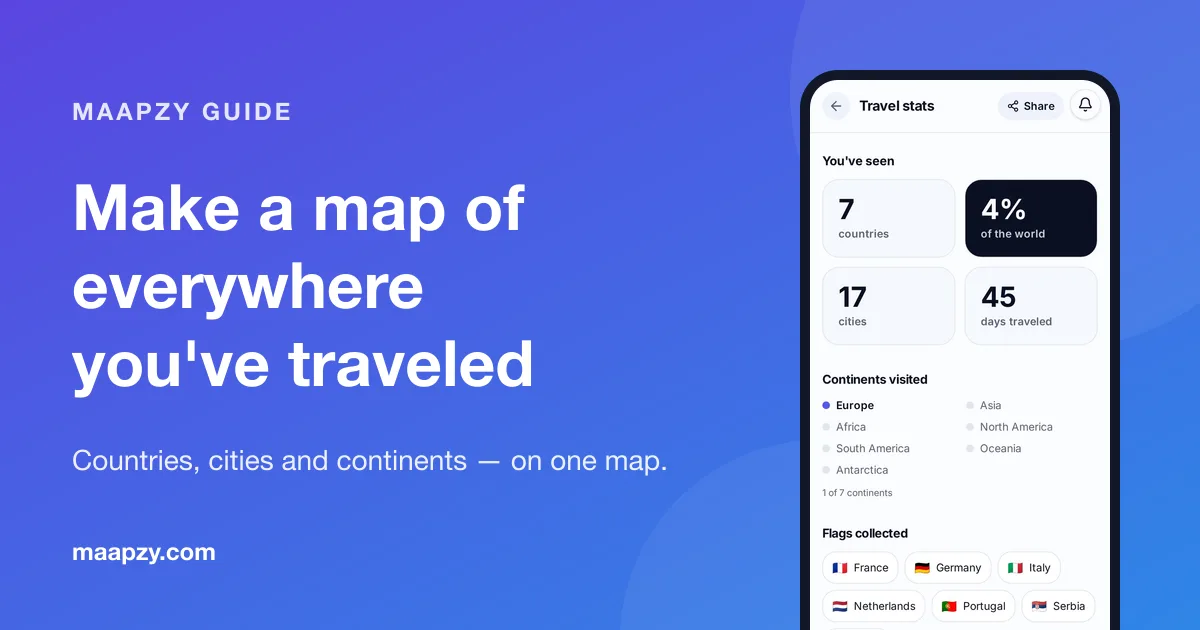
Most of us remember trips as scattered moments: a train window in Italy, a night market in Bangkok, a rainy weekend in Edinburgh. Put them on one map and something changes. You see how far you've come, which parts of the world you keep returning to and which ones you've never touched.
This guide shows you how to collect your past trips, pick the right kind of map and keep it up to date without spending a whole weekend on it.
Why make a map of your travels?
- A memory you can see. One picture holds years of trips, and every pin brings back a story.
- An honest count. Most people guess their number of countries. A map gives you the real figure.
- Inspiration for next time. Empty regions jump out, which makes your next destination easier to choose.
- Something to share. Friends love comparing maps, and it starts better conversations than a photo dump.
Step 1: Collect your past trips
Before you open any app, make a quick list. Don't aim for perfect; you can add forgotten trips later.
Start from memory
Write down every country, then the cities inside it. Go year by year or by life stage: school trips, university, work travel, holidays with family, trips with friends.
Use your phone photos
Your photo library is the best travel diary you never wrote. Apple Photos and Google Photos both have a map view that groups pictures by location, so you can scroll the world and spot trips you'd forgotten.
Check old bookings and your Google Maps Timeline
Search your email for 'booking confirmation', 'boarding pass' and 'reservation'. If you used Google Maps Timeline, your location history is now kept on your phone rather than online, so look in the Google Maps app under Your Timeline.
Step 2: Choose the kind of map you want
There's no single right answer. It depends on whether you want something for your wall, for planning or for sharing.
A scratch-off or pin map
Great as a gift and nice on a wall, but it only shows countries, it's hard to correct and you can't share it with friends abroad.
Google My Maps
Free and flexible: drop pins, draw routes and add notes. The downside is that it doesn't count countries or show any statistics, and adding years of trips by hand is slow.
A travel app with built-in stats
Apps such as Maapzy turn your trips into a map automatically and count countries, cities, continents and days on the road. We compare the options in our guide to the best travel apps in 2026 and our look at Polarsteps alternatives.
Step 3: Add your trips to Maapzy
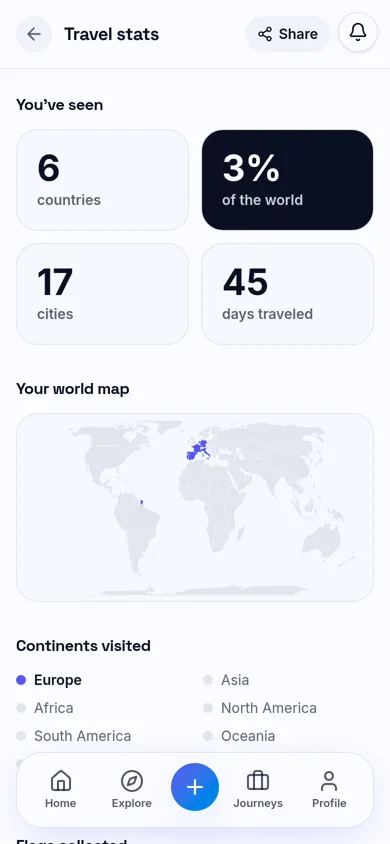
In Maapzy each trip is a journey with its own stops. Add a journey for each past trip with its cities and rough dates, or start with just the countries if that's all you remember. As you add journeys, your travel stats fill in on their own: countries seen, the share of the world you've visited, continents, flags and a world map with every country you've been to coloured in.
Have a long list of saved places in Google Maps? Export them with Google Takeout and import the file into Maapzy; your places stay private to your account. Our guide on how to save and share places for a trip explains how.
Step 4: Make it worth looking at
A map with pins is a start. A few details turn it into something you'll actually come back to.
- Add dates. Even just the year shows how your travel has changed over time.
- Write one line per trip. 'Got lost in the Alfama and found the best custard tarts' beats an empty pin.
- Add a photo or two. Keep it to your favourites rather than every picture.
- Mark who you went with. Inviting travel buddies to a journey keeps the memory shared.
Step 5: Share your travel map
Once your map is filled in, show it off. In Maapzy you can share any journey by link, and turn your travel stats into a story image with your countries, cities and travel days, ready for Instagram or WhatsApp. For a single trip, turn it into a travel poster with your route, distance and places in a few taps.
Sharing also works the other way round: when friends post their maps, you get ideas for where to go next. Save them to your travel bucket list so they don't get lost.
Keep it up to date
The easiest way to keep your map current is to plan your next trip in the same place. When you build a journey in the Maapzy planner before you leave, it's already on your map when you get home, with nothing to add afterwards.
Your travel map checklist
- List every country you've visited, then the cities in each
- Scroll the map view in your phone photos for forgotten trips
- Search your email for old boarding passes and bookings
- Pick your map: scratch map, Google My Maps or a travel app with stats
- Add each trip with its year and one line about it
- Check your country count on your travel stats
- Share your map by link or as a travel poster
- Plan your next trip in the same app so the map stays current
Frequently asked questions
How do I count how many countries I've visited?
Write down every country you've set foot in, then check your photos and old bookings for any you missed. A travel map app such as Maapzy counts them for you as you add trips, and shows what share of the world's 195 countries you've seen.
Does an airport layover count as visiting a country?
Most travelers only count a country if they left the airport. There's no official rule, so pick a rule that feels fair to you and use it every time.
Can I make a map of my travels for free?
Yes. Google My Maps is free for pins and routes, and Maapzy is free to use for journeys, travel stats and your visited-countries map, on the web and on Android.
How do I share my travel map on Instagram?
Take a screenshot of your map or, for a cleaner result, create a travel poster from a journey and share it straight to your story. Maapzy's Instagram travel poster maker sizes it for stories automatically.
Sources
Start your next trip on a map.
Pin a few cities and see what a realistic route looks like — in five minutes, for free.
Open the plannerKeep reading
- How to Make a Travel Poster of Your Trip in 5 MinutesTurn your route into a poster with your stops, map and distance, sized for Instagram Stories. A simple step-by-step guide, plus design tips that work.
- 12 Instagram Story Ideas for Your Next TripTwelve easy Instagram Story ideas for before, during and after your trip, from route maps and countdowns to travel stats, posters and local tips.
- How to Keep a Digital Travel Journal (That You'll Actually Keep)A simple way to keep a travel journal on your phone: one photo, one place and a few lines a day, saved to a map so every memory stays where it happened.