How to Make a Travel Poster of Your Trip in 5 Minutes
Turn your route into a poster with your stops, map and distance, sized for Instagram Stories. A simple step-by-step guide, plus design tips that work.
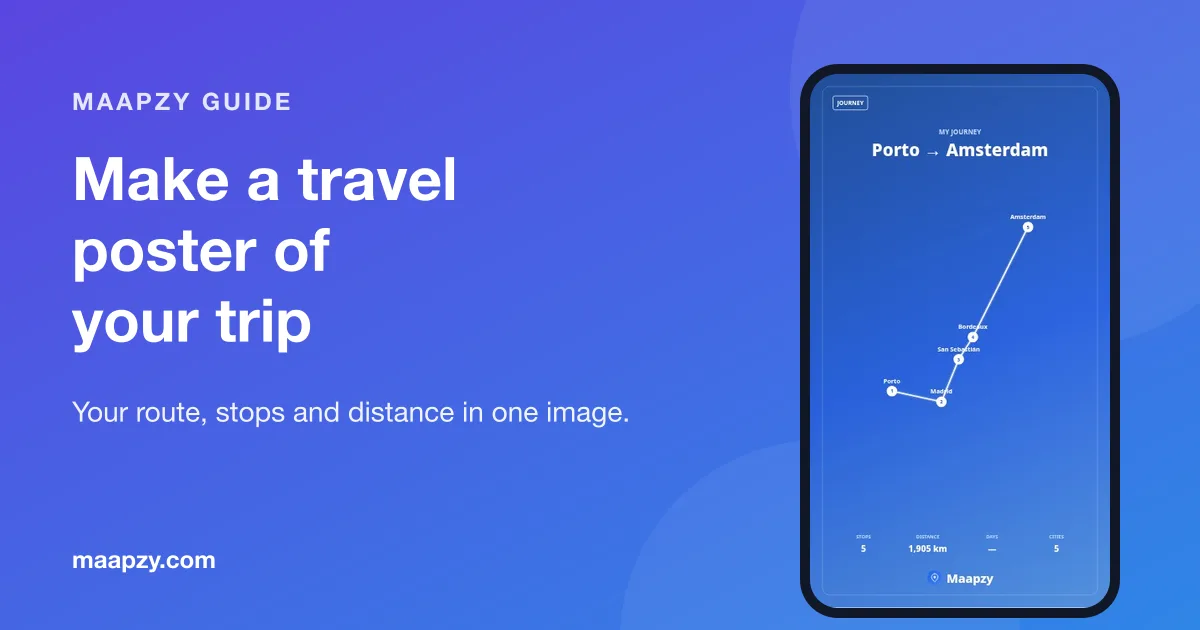
A good travel poster tells the story of a trip in one image: where you started, where you went and how far you travelled. It's the kind of thing friends actually stop scrolling for, and it looks great printed and framed too.
You don't need design software. Here's how to make one from your route in about five minutes.
What makes a good travel poster?
- A clear route. The line between stops is the hero of the design.
- A few key numbers. Stops, distance and days say a lot without words.
- A simple title. 'Porto → Amsterdam' or 'Balkans, summer 2026' is enough.
- Room to breathe. Fewer labels and more space look more premium.
Step 1: Build your route
Your poster is only as good as the route behind it. In the Maapzy planner, add every city you visited as a stop, in the right order. Past trips work just as well as future ones.
Step 2: Open the journey and choose Create a poster
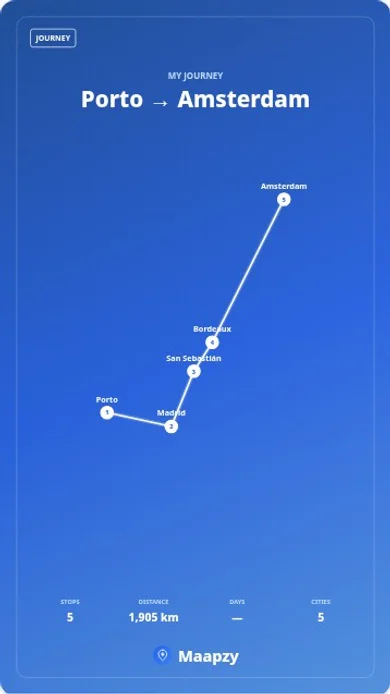
Open the saved journey and tap Create a poster. Maapzy draws your route, labels the stops and adds the numbers: stops, distance, days and cities.
Step 3: Pick a layout
Instagram Story
A full 9:16 design with your route, title and stats. It's the easiest one to share as-is.
Travel stats
Puts the numbers first. Good for a year-in-review or a long multi-country trip.
Transparent route or stats
Exports only the route or numbers with a clear background, so you can place them over your own photo in Instagram. Transparent designs always export with white text and lines.
Step 4: Choose a theme and fonts
Pick a colour theme such as Midnight, Paper & Ink, Sunset Blaze, Forest & Moss, Noir & Gold or Ocean Deep, or set your own background, text and accent colours. Then choose fonts for headings and text. Turn location names on or off depending on how busy the map looks.
A simple rule: dark themes look best over night photos, and light themes over beach or snow photos.
Step 5: Download or share
Download the poster as a 1080 × 1920 PNG, or tap Share and pick Instagram, WhatsApp or any other app on your phone. If you'd rather post a short video, Maapzy can also turn the journey into a story video.
For more ways to post your trip, see our Instagram story ideas for travel.
Poster ideas for different trips
Road trip
Road trips make the best posters because the route is the story. Show every stop and the total distance in kilometres. Our guide on how to plan a road trip helps you build the route first.
Interrail or train trip
A long line across several countries looks great on a dark theme such as Midnight or Noir & Gold. Keep location names on so people can follow the route.
City break
With only one or two stops, the travel stats layout works better than a route. Lead with the days and cities.
Year in review
At the end of the year, make one poster per trip and post them together, or share your travel stats with all your countries and days on the road.
Where to use your poster
- Instagram and WhatsApp Stories, the obvious one, and it's sized for them
- Your profile's trip Highlight cover, so people see the route first
- A group chat after the trip, as a thank-you to the people who came
- A printed frame or postcard, small sizes print sharply
- Your phone's lock screen, a daily reminder of a good trip
Every poster you make is saved with the journey, so you can come back and change the theme or layout whenever you like.
Common design mistakes
- A long title. If it wraps onto three lines, shorten it.
- Clashing colours. Pick the theme first, then the photo, not the other way round.
- Too many labels. With lots of stops close together, turn location names off.
- Cropping. Upload at full 1080 × 1920 so Instagram doesn't cut the edges.
Print it, too
Because the poster is a high-resolution PNG, it prints well at small sizes such as A5 or 13 × 18 cm. It makes a thoughtful gift for the friends who came along. Pair it with a map of everywhere you've traveled for a travel wall.
Travel poster checklist
- Add every stop to the planner in the right order
- Open the journey and tap Create a poster
- Pick a layout: Story, Travel stats or Transparent
- Choose a theme that matches your photos
- Keep the title short
- Turn location names off if the map looks busy
- Download the PNG or share straight to Instagram
Frequently asked questions
What size is an Instagram Story poster?
Instagram Stories use a 9:16 ratio, and 1080 × 1920 pixels is the standard size. Maapzy posters export at exactly that size, so nothing gets cropped.
Can I put my route on top of my own photo?
Yes. Choose a Transparent route or Transparent stats layout, download it and add it as a sticker over your photo in Instagram Stories.
Is the travel poster maker free?
Yes, you can create and share journey posters for free on the web and in the Maapzy Android app.
Can I make a poster of a trip I took years ago?
Yes. Add the stops of the old trip as a journey with rough dates, then create the poster as normal.
Sources
Start your next trip on a map.
Pin a few cities and see what a realistic route looks like — in five minutes, for free.
Open the plannerKeep reading
- 12 Instagram Story Ideas for Your Next TripTwelve easy Instagram Story ideas for before, during and after your trip, from route maps and countdowns to travel stats, posters and local tips.
- How to Keep a Digital Travel Journal (That You'll Actually Keep)A simple way to keep a travel journal on your phone: one photo, one place and a few lines a day, saved to a map so every memory stays where it happened.
- How to Build a Travel Profile People Want to FollowWhat to put on your travel profile so the right people follow you: a clear bio, your best journeys, honest tips, travel stats and a bit of personality.