12 Instagram Story Ideas for Your Next Trip
Twelve easy Instagram Story ideas for before, during and after your trip, from route maps and countdowns to travel stats, posters and local tips.
Travel stories are fun to post and easy to get wrong. Twenty blurry clips of an airport don't tell anyone much. A handful of well-chosen stories, spread across the trip, tell a much better story.
Here are twelve ideas, grouped by when to post them.
You don't need to use all twelve. Pick two from each group and you'll have a trip that's easy to follow, fun to watch and quick to post, without spending your holiday on your phone.
Before the trip
1. The route reveal
Post your planned route on a map with the caption 'Where should I eat in…?'. It gets replies and real tips. Plan the route in the Maapzy planner first.
2. A countdown
Instagram's countdown sticker lets followers tap to be reminded when you leave. Add it over a photo of the first stop.
3. The packing flat-lay
Lay everything out and take one photo from above. Our guide to packing light helps it look neat.
4. Ask for recommendations
Use the question sticker: 'Best café in Lisbon?'. Save the good answers straight to your trip.
During the trip
5. Today's stop on the map
A quick screenshot of your journey with today's stop highlighted helps followers follow along.
6. One local find a day
A single great tip, like a bakery, viewpoint or bar, is more useful than ten photos of famous sights. Save it as a recommendation so you can share it later.
7. Before and after
The start of a hike and the view from the top. Simple, satisfying and easy to film.
8. A poll
'Beach or mountains tomorrow?' Polls get far more taps than plain photos.
After the trip
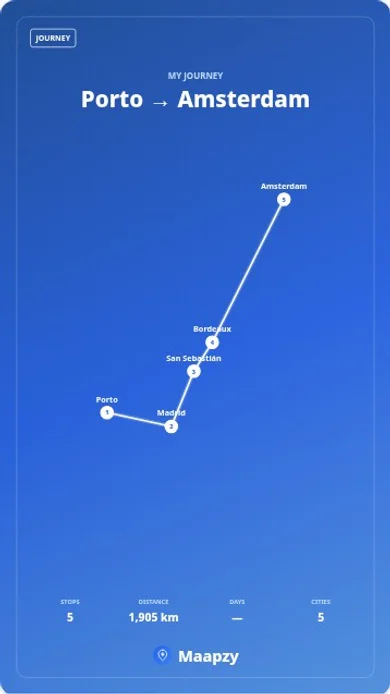
9. The route poster
Your full route, distance and stops in one image. In Maapzy, open the journey and tap Create a poster. Our step-by-step guide on how to make a travel poster covers the design choices.
10. Your travel stats
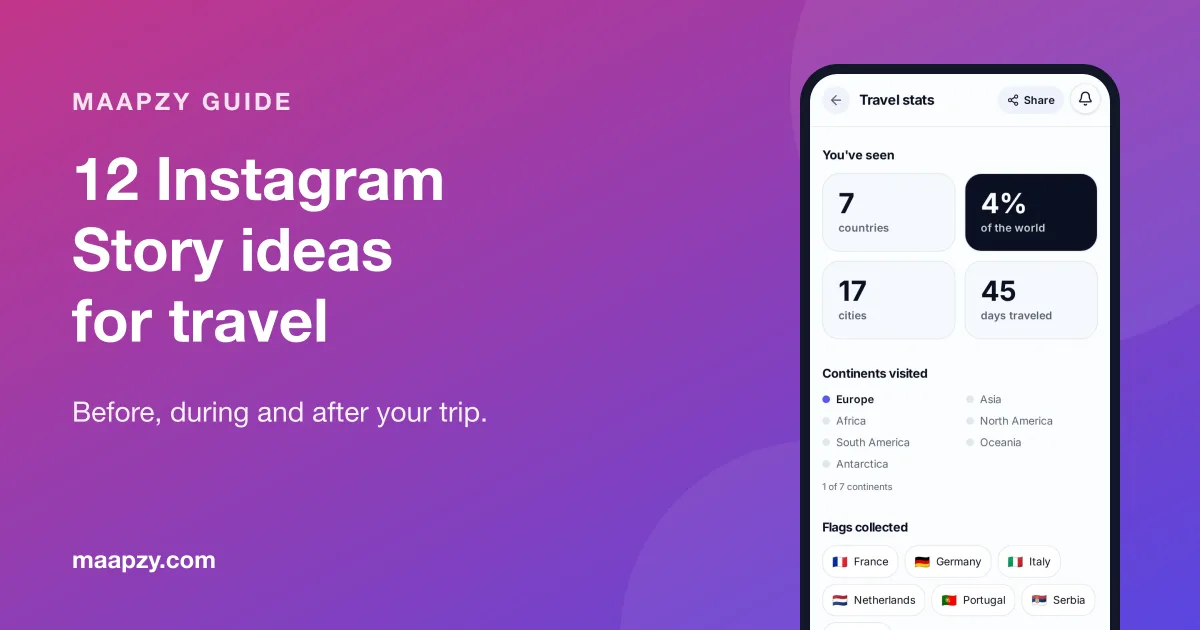
Countries, cities and days travelled, as a story image. It's a great end-of-year post, too. Build it from your travel stats.
11. The best five photos
Pick five, not fifty. Put the route poster first and the photos after it.
12. Your top tips
Turn your favourite places into a short tips list and add a link to your profile, where followers can see your recommendations on a map.
Easy ways to film better travel stories
- Hold the shot. Three steady seconds beat ten shaky ones.
- Film in the golden hour. Early morning and the hour before sunset make everything look better.
- Add sound. Street noise, waves or a busker tell people where you are without any text.
- Use one font and one colour. Pick them on day one and use them for the whole trip.
- Write captions for silent viewers. Many people watch with the sound off.
None of this needs a new camera. A phone, a little patience and a plan for what to post before, during and after the trip are enough. If you're travelling with friends, take turns filming so everyone gets to be in the stories too.
What not to post
- Boarding passes and booking codes, which can be used to change your booking
- Your hotel or apartment while you're still staying there
- Other people's faces without asking, especially children
- Twenty clips of the same view
Make a trip Highlight
After the trip, save your best stories to a Highlight named after the trip, for example 'Balkans 26'. Use your route poster as the cover image so your profile shows where you've been at a glance. Keep each Highlight short, ten to fifteen stories at most, so people actually watch it.
If you want people to keep following your trips, pair your Highlights with a travel profile people want to follow.
Tips for better travel stories
- Post in batches once or twice a day rather than constantly
- Turn off precise location sharing until you've left a place
- Keep text short; most people tap through in seconds
- Save your best stories to a Highlight named after the trip
Travel story plan
- Before: route reveal, countdown, packing photo, question sticker
- During: today's stop, one local find, before and after, a poll
- After: route poster, travel stats, best five photos, top tips
- Post in batches, not all day
- Share location only after you've left
- Save the trip to a Highlight
Frequently asked questions
How many stories should I post per day while traveling?
Three to eight is plenty for most people. Fewer, better stories keep followers watching to the end.
Is it safe to post my location while traveling?
It's safer to post places after you've left them, and to avoid showing where you're staying. Government travel advice sites have more personal safety tips.
How do I share a travel map on Instagram?
Create a poster from your journey and share it straight to your story, or download it and add it as an image. See how to make a travel poster for the steps.
What should I post after a trip?
A route poster or travel stats card first, then your best five photos and a short list of tips. Together they tell the whole story in under a minute, and the tips are what people save.
Sources
Start your next trip on a map.
Pin a few cities and see what a realistic route looks like — in five minutes, for free.
Open the plannerKeep reading
- How to Make a Travel Poster of Your Trip in 5 MinutesTurn your route into a poster with your stops, map and distance, sized for Instagram Stories. A simple step-by-step guide, plus design tips that work.
- How to Keep a Digital Travel Journal (That You'll Actually Keep)A simple way to keep a travel journal on your phone: one photo, one place and a few lines a day, saved to a map so every memory stays where it happened.
- How to Build a Travel Profile People Want to FollowWhat to put on your travel profile so the right people follow you: a clear bio, your best journeys, honest tips, travel stats and a bit of personality.