How to Share Your Trip Itinerary With Friends and Family
The easiest ways to share your trip itinerary: one link with your route and dates, invites for the people coming along, and a simple copy for home.
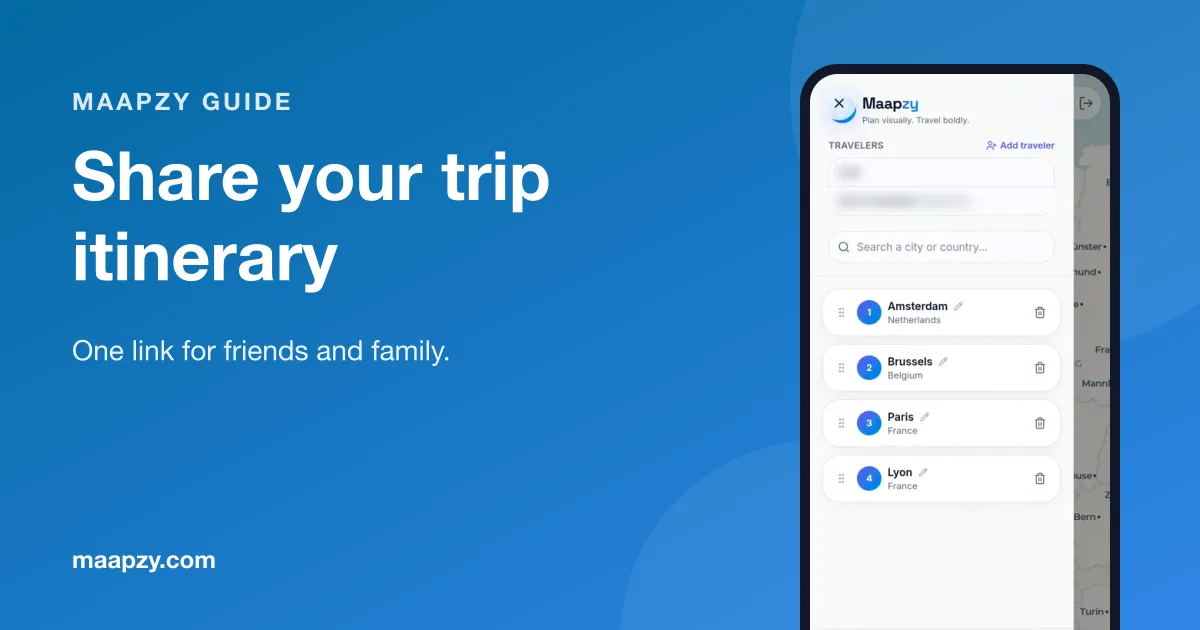
Sharing a trip usually means a mess of screenshots, booking emails and 'what time is the train again?'. One shared itinerary fixes that, for the people coming along and for the people at home.
Here's how to set it up once, share it in the right way with each group of people, and keep it up to date while you travel.
Who needs to see your itinerary?
- Travel companions: the full plan, and the ability to add ideas
- Family at home: where you'll be and when, plus where you're staying
- Friends who want ideas: your route and favourite places, after the trip
Step 1: Put the trip in one place
Create a journey with every stop, in order, with dates. Add notes about transport between stops. Our guide on how to create a travel itinerary covers what to include.
Do this before you share anything. It's tempting to send the first rough idea to the group chat, but a half-finished plan invites fifty opinions. Get the dates and main stops in place first, then share it and ask for ideas on the details.
Step 2: Invite the people coming along
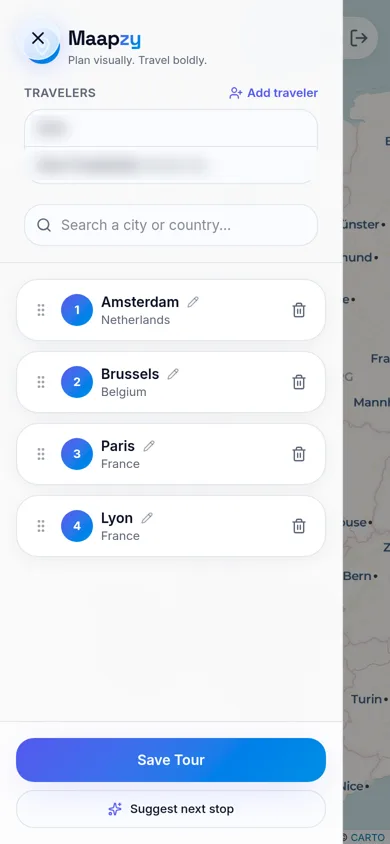
In Maapzy, tap Add traveler and search for friends by name or username. They join the same journey, so everyone sees one route instead of separate versions. Read how to plan a trip with friends for keeping a group on track.
Step 3: Share one link
Open the journey and tap Share your trip. Maapzy copies an invite link you can paste into WhatsApp, email or any group chat. One link is easier to find later than a pile of screenshots.
Step 4: Give family the safety version
For parents or a partner at home, send the link plus a short message with:
- Where you're staying each night
- Flight and train numbers
- A local emergency number and your embassy's details
- When you'll check in
Many governments also let you register your trip so they can contact you in an emergency. It takes five minutes and is worth doing for longer trips or places with changing travel advice.
Agree on a simple check-in: a message every evening, or every couple of days on a long trip. Parents worry less when they know when to expect news, and you won't get worried calls at 2am.
What to include in a shared itinerary
- Every stop in order, with arrival and departure dates
- How you get between stops: train, bus, flight, ferry or car
- Where you're sleeping each night (only for people you trust)
- One or two must-do things per stop
- Booking references kept private, not in the shared plan
A simple itinerary template
Day 1: Arrival
Flight or train, check-in, an easy first evening nearby.
Days 2–3: First stop
One big thing each day and free time around it.
Day 4: Travel day
Move to the next stop. Plan nothing else except dinner.
Days 5–6: Second stop
Same pattern. Keep one afternoon open.
Day 7: Home
Leave time for the journey back and a buffer for delays, especially if you have a flight to catch.
Sharing with a group: who does what
On a group trip, the shared journey works best when everyone has a job. One person books places to stay, another checks transport between stops and everyone adds two places they really want to visit. The group trip planning checklist has a fuller list.
Agree that the journey is the single source of truth. If plans change in the chat, someone updates the journey the same day, so nobody turns up at the wrong station.
Common mistakes when sharing plans
- Sending screenshots that go out of date the moment plans change
- Sharing booking codes in group chats
- Different versions of the plan in different chats
- Telling family 'I'll message you' with no agreed check-in time
Step 5: Share the story afterwards
When you're back, turn the journey into a poster with your route and distance, and share your favourite places as recommendations. See how to make a travel poster.
Itinerary sharing checklist
- Create one journey with every stop and date in the trip planner
- Add transport notes between stops
- Invite your travel companions
- Share the invite link in your group chat
- Send family the link plus where you're staying
- Register your trip with your government if available
- Share a poster and tips when you're back
Frequently asked questions
What's the easiest way to share a travel itinerary?
Put it in a single journey and share one link. Everyone opens the same, up-to-date plan instead of old screenshots.
Should I share my itinerary on social media?
Share the route after the trip, not while you're away, and never share where you're staying in public. Send detailed plans only to people you trust.
What should I send my family before a trip?
Your itinerary link, where you're staying each night, flight or train numbers, your embassy's contact details and an agreed time to check in. Keep it in one message they can find easily.
Can friends edit the itinerary too?
When you add someone as a traveler on a Maapzy journey, they join the same trip and see one shared route, stops and dates.
Sources
Start your next trip on a map.
Pin a few cities and see what a realistic route looks like — in five minutes, for free.
Open the plannerKeep reading
- Best Travel Planning Apps for Groups: What Actually MattersShared maps, invites and one plan everyone can see. A practical checklist for choosing the right group travel planning app before your next trip.
- How to Organize a Group Vacation: A Step-by-Step PlanFrom the first idea to the last booking: who decides what, and in which order, so your group vacation actually happens and everyone stays happy.
- How to Choose Dates for a Group Holiday (Without Endless Polls)A simple method to pick holiday dates that work for most of the group, decide fast without endless polls, and keep everyone committed to the trip.